Stop starting from scratch every time you post
A fully built Apple Notes content system you can duplicate and start using in minutes.
No setup. No overthinking. No new tools.
Right now, your content probably looks like this:
Ideas saved in random places
Notes scattered across your phone
Captions written last minute
No clear plan to follow
So every time you go to post, you’re starting from zero again
This fixes that.
Instead of trying to “be more consistent”
You’ll have:
One place for every idea
A simple weekly planning system
A structure you can actually stick to
The Apple Notes Social Media Planner
A fully built content system inside Apple Notes. designed to feel simple, clear, and easy to use.
You duplicate it → and it’s ready to go.
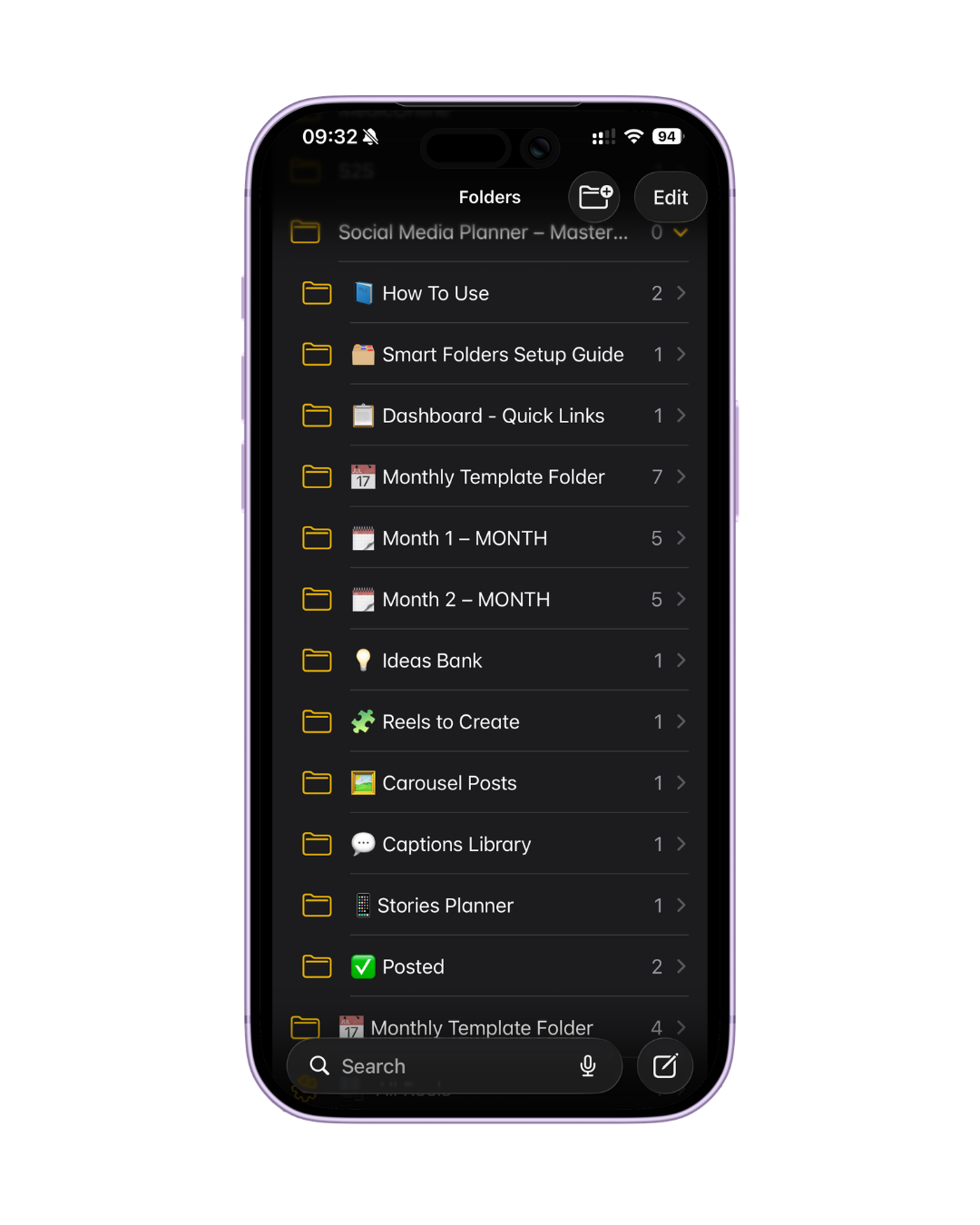
Complete folder & note structure
Ideas Bank
Captions Library
Reels & Carousel trackers
Weekly planning templates
Monthly overview
Smart Folder setup guide
1. Download
2. Duplicate into Notes
3. Start using immediately
What changes once you start using this
You always know what to post
You stop scrambling
Your content feels consistent
Your brain feels quieter